Preferences
Because you're a control freak and we know it
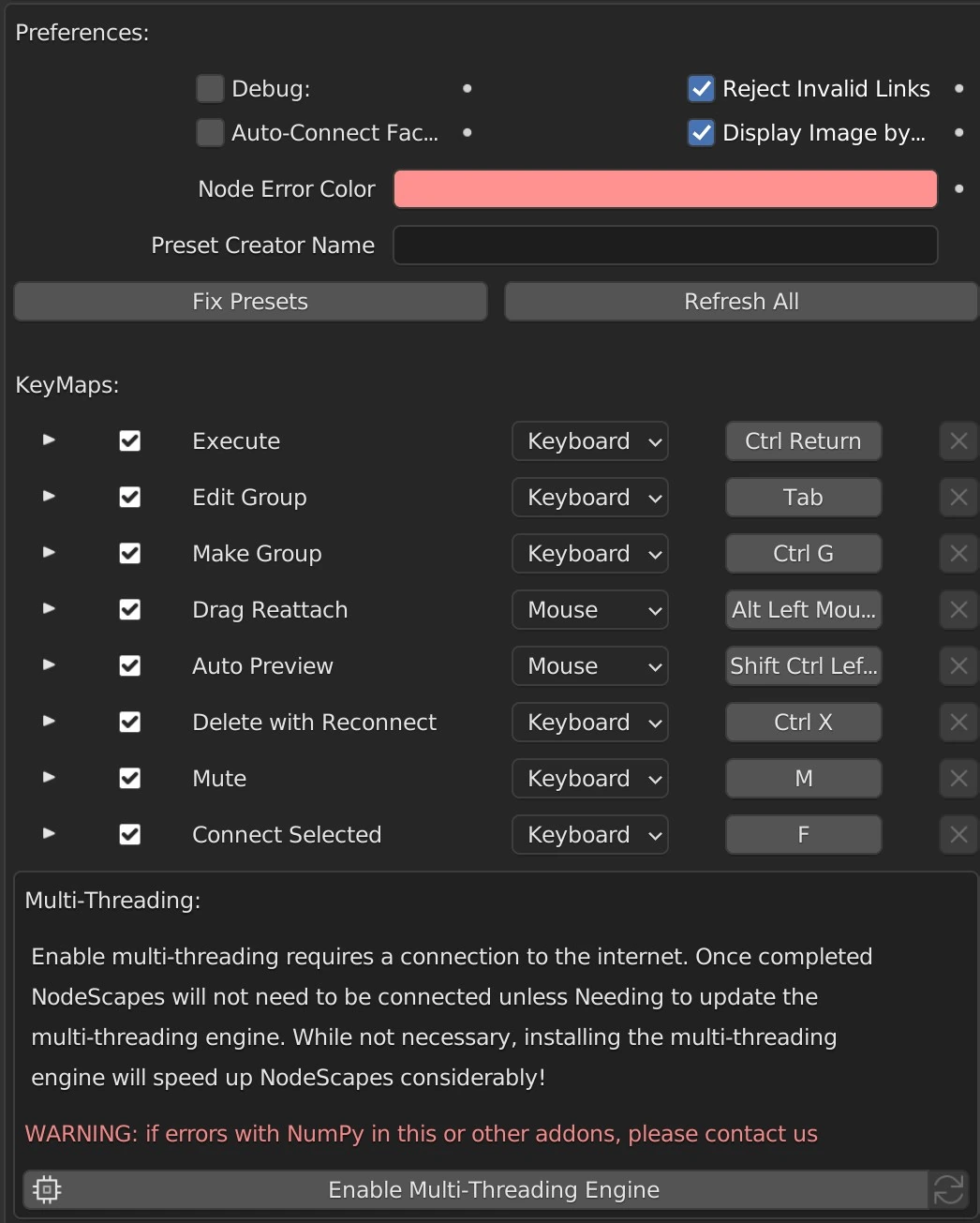
Debug
This shows how long each node takes to calculate.
Reject Invalid Links
When on, you will not be able to connect to incompatible sockets. When off, the link will turn red after executing the node tree.
Auto-Connect Fac First
If off when auto-connecting with math nodes (selecting 2 or more nodes and pressing F or drag and dropping a node over a link) the Fac input will not be connected until all of the other inputs are connected first. If Fac is on it is treated like any other input.
Display Image by Default
Show the loaded image on the image node by default.
Lazy Load
Load noise functions only when needed. If off noise functions will load when Blender starts. Will cause Blender to take longer to open. Only visible if Multi-Threading Engine is installed
Node Error Color
What color to make nodes when an error occurs.
Preset Creator Name
The default author name to automatically put when creating presets.
Fix Presets
Sometimes updates to NodeScapes will change node inputs and/or properties. This button will attempt to fix known changes. If it doesn’t change the preset correctly please feel free to send us the preset so we can either update this button or send you back a fixed preset if the fix is more than this button can handle.
Refresh All
Sometimes nodes just need to be refreshed after updating NodeScapes. If you notice a node doesn’t seem to have been updated after updating NodeScapes (new inputs/properties not showing up or labels are wrong) clicking this button will go through all NodeScapes nodes of all NodeScapes node trees and refresh them.
Enable Multi-Threading
Enable the Multi-Threading Engine by clicking this button. NodeScapes will download the engine. Once completed you will need to restart Blender.
Check for Updates
Check for updates to the multi-threading engine. Checks are also done automatically when Blender is opened or NodeScapes is loaded.
KeyMaps
Here you can activate and deactivate the custom NodeScapes keymaps. You can also change the keymap that calls the function.