Presets/Snippets
For all you lazy bums out there
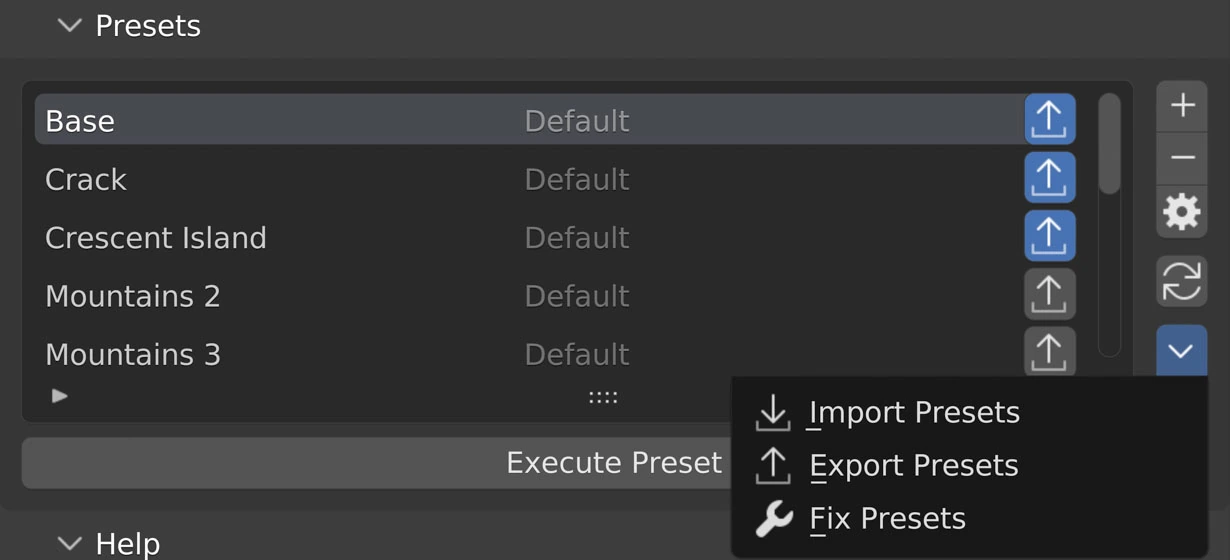
Presets allow users to save their node trees and share (export) them with other NodeScape users! We would encourage using frames and descriptive labels for nodes to help other users understand what you’ve accomplished.
Preset Picker
The faded out text in the middle (Default in the image above) explains what category, or from where, this preset came.
- Default: Came with NodeScapes
- Community: Imported from another user
- User: Created on this computer, ie not imported and did not come with NodeScapes.
Selecting the toggles to right (highlighted blue in the above screenshot) selects what presets to export. Always export a backup of presets before installing an update. Sometimes it may be that an update will change how a node works or what properties a node has. We don’t foresee this happening but it is possible. Taking a screenshot of your node layout for each preset is a very smart way to make sure you can recreate your presets if necessary!
Side Buttons
Add
Create a new preset from the node tree active in the area
Remove
Remove the active preset from the Preset Picker
Settings
Show the settings for the active preset. See Example
Reload
Reload installed presets
Presets Menu
Import Presets
Import a presets zip file
Export Presets
Export presets set for export
Fix Presets
Change existing presets with known changes to the preset system
Execute Preset
Create the active preset
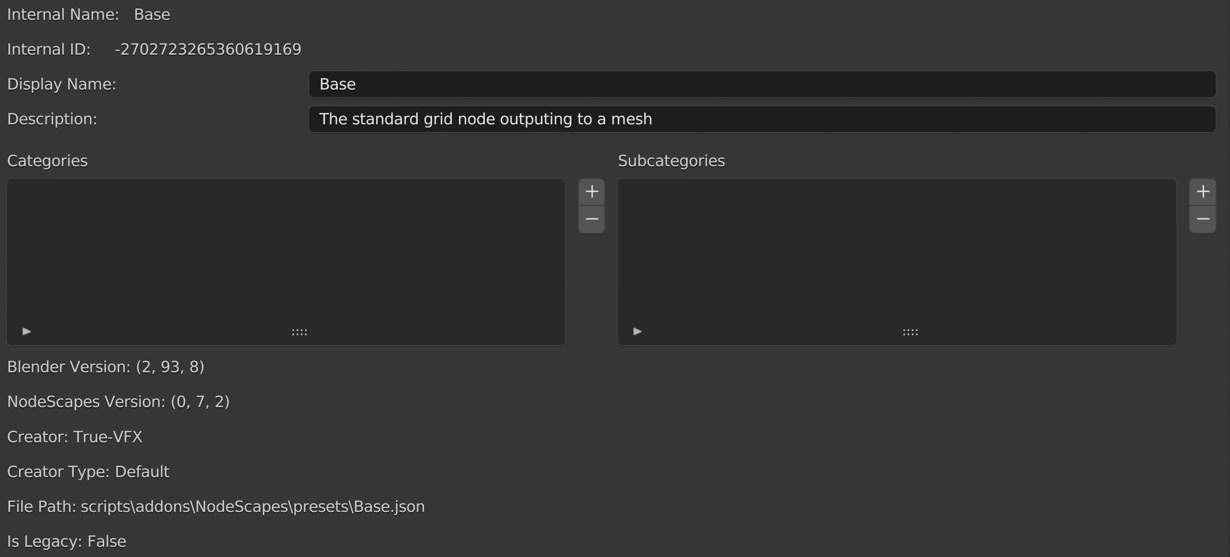
Active preset settings